
Your support address, terms and sign-in wording
The Client experience tab: where your clients are sent when they need a human.
Go to Agency, then the Client experience tab. Five fields, all optional, all about what a client sees when they look for the company behind the product.
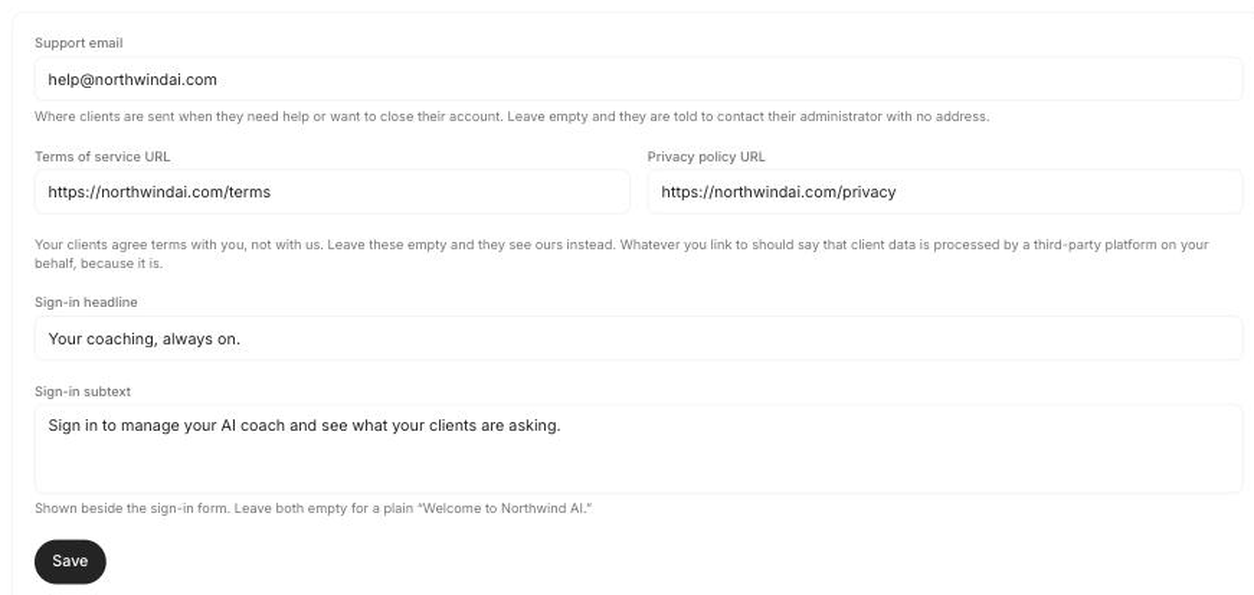
Support email
The address a client is given when they need a person. Every route back to us is deliberately hidden from a managed client, so without this they were told to "contact your account administrator" with no way to actually do it.
It appears in the account-closure copy and in the banner shown to a client you have put on hold.
Set this before you hand over a single login. It is the one field that turns a dead end into support.
Terms URL and Privacy URL
Your clients agree terms with you, not with us. Point these at your own pages and that is what they see. Leave them empty and they see ours, which tells them who actually builds the product.
Whatever you link to should say that client data is processed by a third-party platform on your behalf, because it is. White labelling changes the name your clients see; it does not change who runs the servers.
Sign-in headline and subtext
The wording on the screen your clients sign in at. Combined with your logo and accent colour, it is the whole first impression.
Leave both empty and the screen falls back to a plain "Welcome to" plus your product name, which works but says nothing.
These are agency-wide, not per client. Everyone you manage sees the same support address, terms and sign-in wording.