
Setting guardrails
What each control does, and which ones actually matter.
Guardrails are step four. They decide what your clone will and will not do.
Only answer from my material
The most important switch in the product. On by default, and it should usually stay on.

On (recommended)
- Answers only from material you added
- Says it does not know rather than improvising
- Cannot invent a price, a method or an opinion you never gave it
- Thin knowledge shows up as short, careful answers
Off
- Falls back on general knowledge when your material runs out
- Always has something to say
- Will answer as you on things you never said
- Wrong answers look exactly as confident as right ones
Turning this off is the single most common cause of a clone saying something its owner never said. If answers feel thin, add material rather than loosening this.
Safety presets
Three one-click presets. Each stops your clone straying into regulated territory.

Turn on any that are near your field, even if you think it is obvious. A health coach gets asked about medication more often than they expect.
The three optional lists
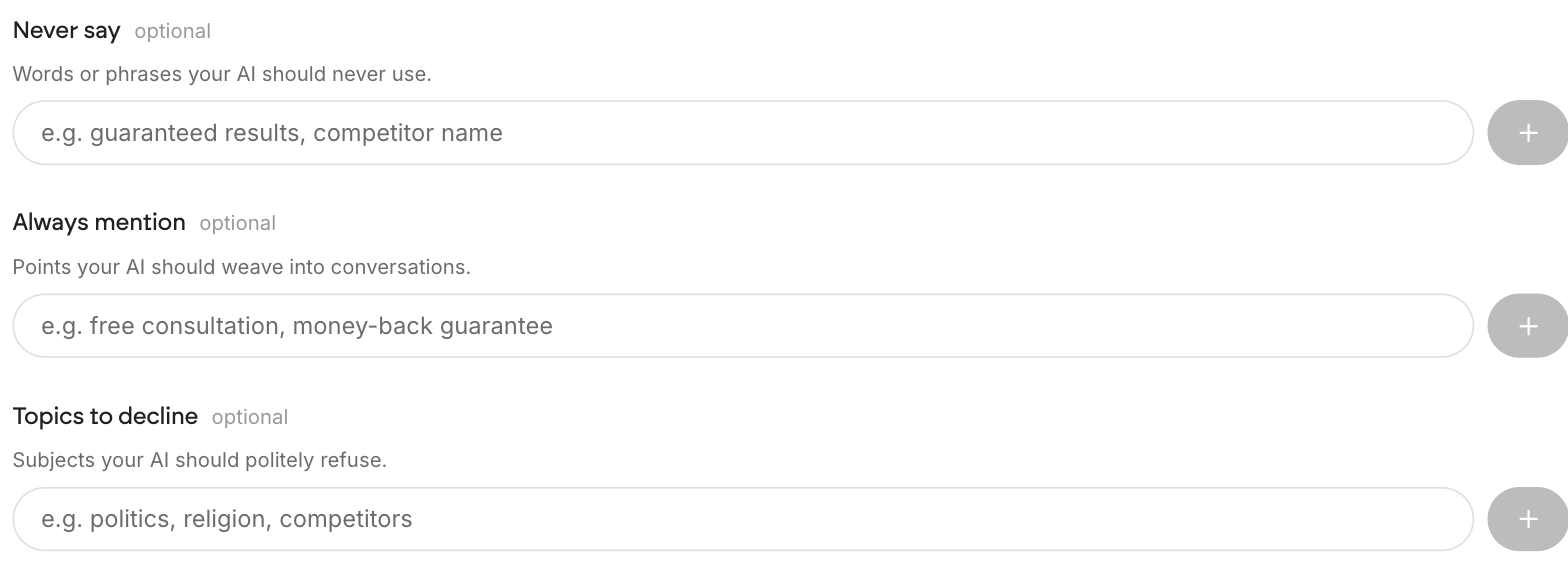
Below the presets sit three lists. All are optional, and each takes one entry at a time with the plus button.
| Field | What it does | Good entries |
|---|---|---|
| Never say | Words and phrases your clone will not use | Guarantees, competitor names, claims you cannot back |
| Always mention | Points it weaves into conversations | A free consultation, a policy, a caveat that always applies |
| Topics to decline | Subjects it politely refuses | Politics, religion, competitors, anything off-limits |
Never say is about wording. Topics to decline is about whole subjects. If somebody asks your clone what it thinks of a rival, Never say stops it using their name, and Topics to decline stops it having the conversation at all.
Use Always mention sparingly. Three items reads as helpful. Ten makes every single answer read like an advert, and people stop asking.