
Editing a clone after it is live
How to change things without breaking a clone people are already using.
Yes, and changes apply immediately. Go to AI Clones, choose the clone, then Edit at the top of its page.
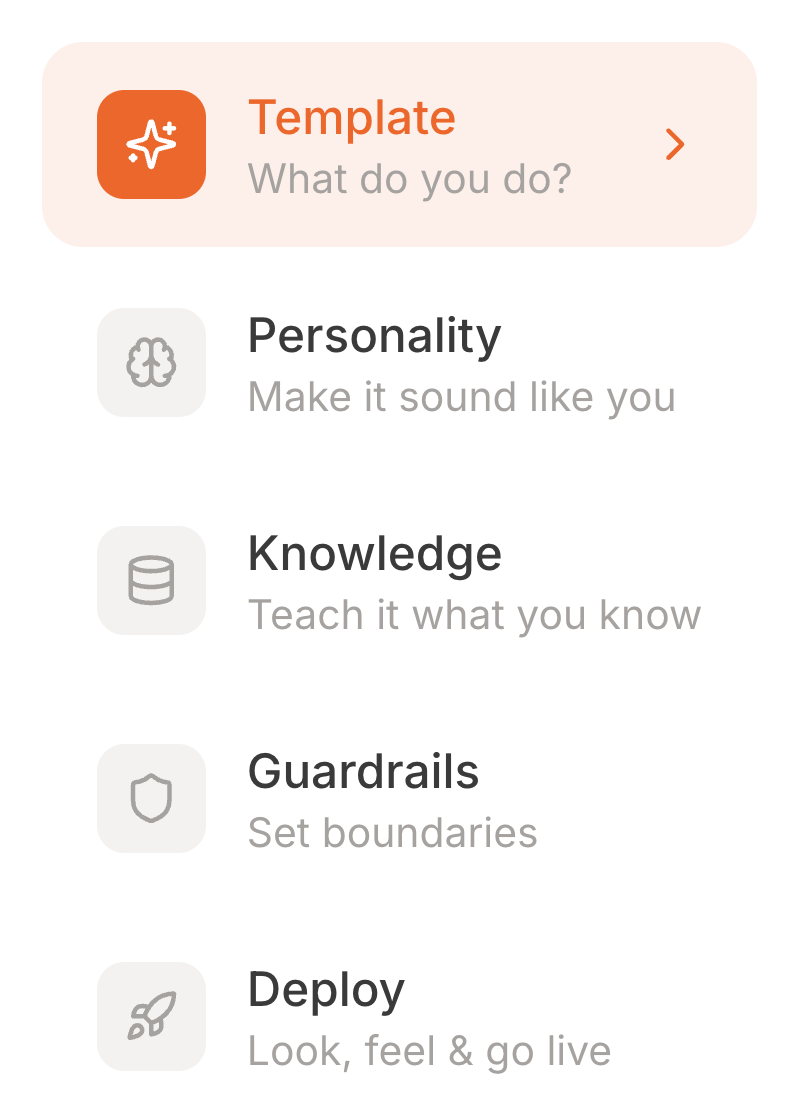
The editor covers the same five steps as the wizard with one useful difference: you can click straight to any step rather than working through them in order. There is also a Test Clone button to try a change immediately, and Save Changes at the top right.
The editor does not save as you type. Changes are only live once you press Save Changes, so do not close the tab on a half-finished edit and assume it kept.
Your link does not change
Editing does not change your share URL or your embed code. Anything you have already put on a website or sent to people keeps working.
Changes are live straight away
There is no staging copy. If you are making a big change to tone or guardrails, expect the next visitor to get the new version.
New knowledge takes a moment
Added material has to be processed before your clone can use it. Large uploads take longer. If a new document does not seem to be working, give it a few minutes and try again in Test Arena.
Switching a clone off
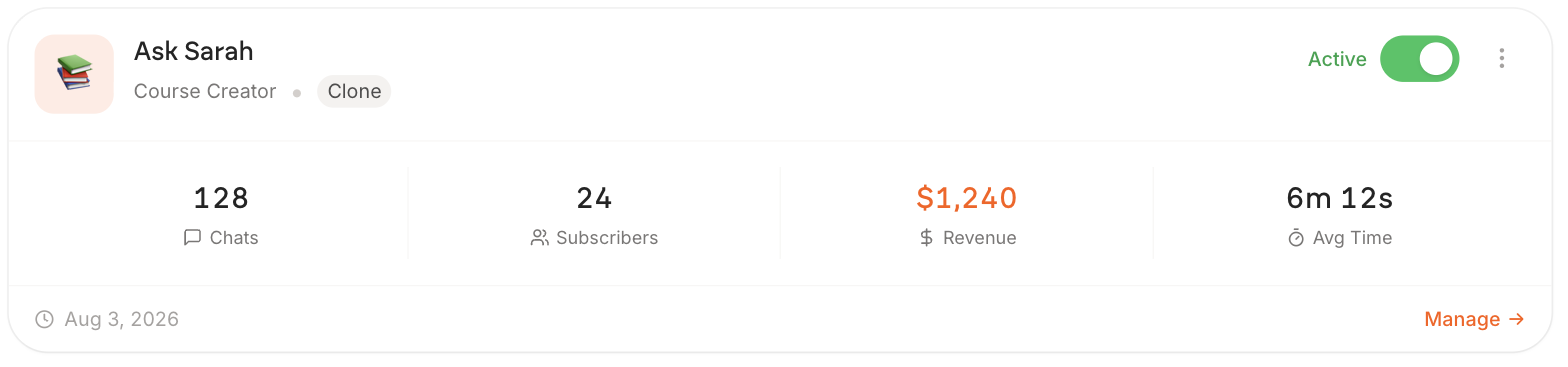
The toggle on the card takes a clone offline without deleting it. Visitors to the link see that it is unavailable, and your knowledge and settings are kept.
The four figures on each card are a quick read on whether a clone is doing anything. Avg Time is the honest one: under a minute means people ask once and go, several minutes means it is holding a real conversation.