
The three conversation style sliders
Tone, length and approach, and which of them is worth moving.
Below the welcome message on the Personality step sit three sliders. They are a coarse control over how your clone comes across, and they all start in the middle.
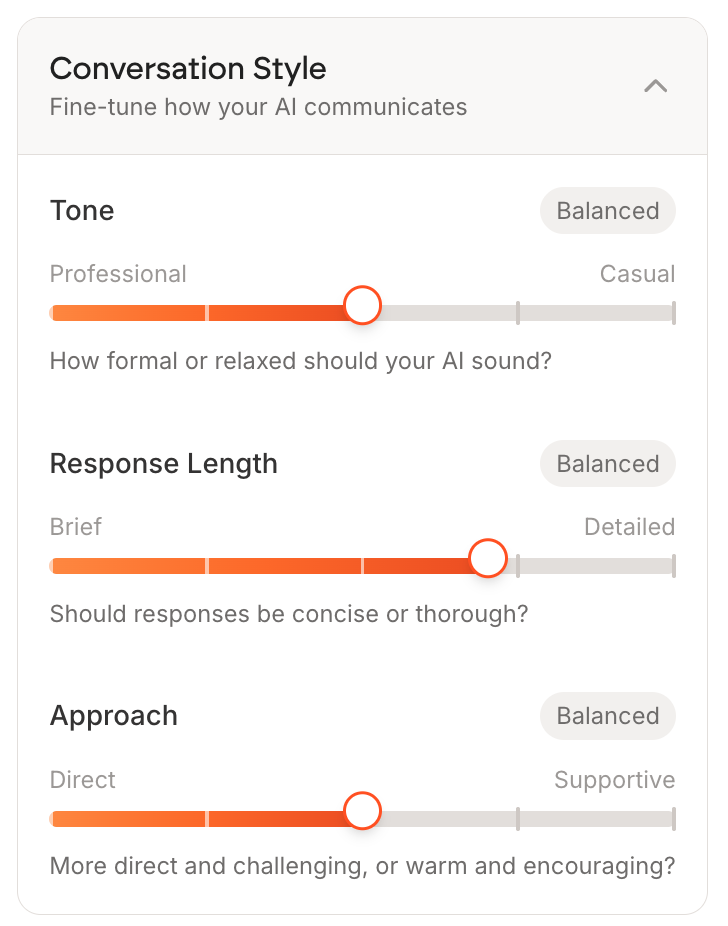
| Slider | Runs from | What it changes |
|---|---|---|
| Tone | Professional to Casual | How formal your clone sounds |
| Response Length | Brief to Detailed | Whether answers are concise or thorough |
| Approach | Direct to Supportive | Whether it challenges or encourages |
The one worth moving
Response Length is the slider most people should touch. Balanced produces answers that are slightly too long for a chat window, and long answers get skimmed. Pulling it toward Brief usually makes a clone feel sharper.
Approach is worth moving if your coaching is genuinely challenging, because Balanced reads as gentler than most coaches actually are.
Where they show up
Their current positions appear as words on the clone's own page, under Personality: Tone, Length and Approach each reading Professional, Balanced, Casual and so on.
These are a blunt instrument. They cannot make your clone sound like you, only more or less formal. The writing in Your personality and tone of voice does the real work, and a correction does more than either.
Change one slider at a time and ask the same question in Test Arena before and after. Moving all three at once tells you nothing about which one mattered.