
What visitors see
The experience from the other side, step by step.
Worth knowing exactly what happens, because it is not the same as what you see when you build it.
They land on your page
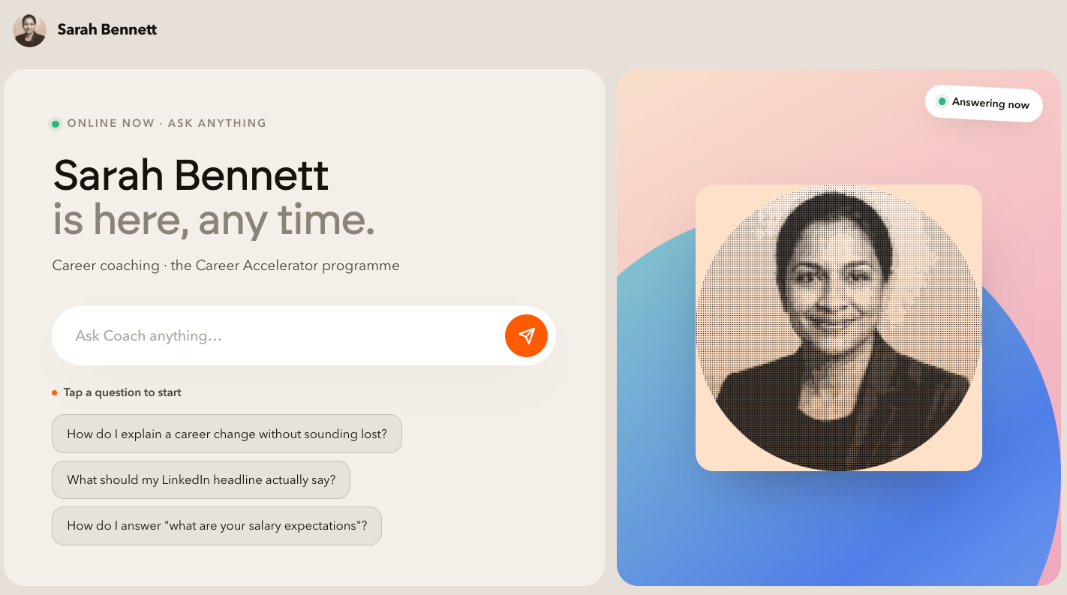
An "online now" label, your headline, your one-line description, a box to type in, and a few questions they can tap instead of thinking of their own.
Those tap-to-start questions do a lot of work. Most people click one rather than typing, so treat them as your three best conversation openers, not filler.
They ask something
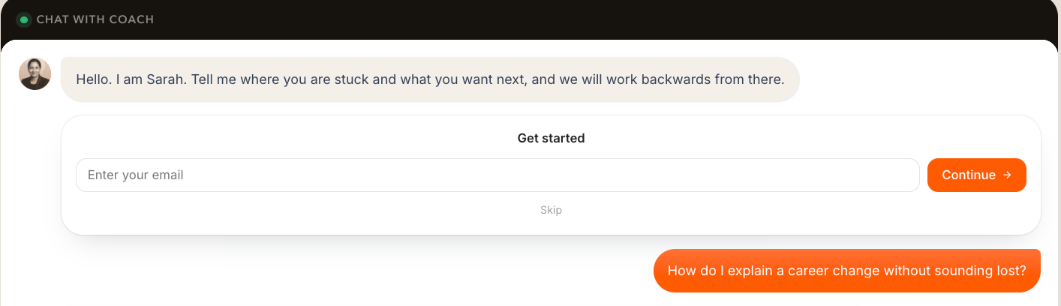
The chat opens below the page. Your greeting comes first, then their question and your clone's answer.
They are asked for an email, if you turned that on
It appears as a small card inside the conversation rather than a wall in front of it, and it has a Skip link. People who skip still get to chat, they just do not land in your Contacts.
No account, nothing to install
Nobody signs up or logs in unless you switched on visitor accounts. Every extra step loses people, so the default is deliberately nothing.
On a phone
Most traffic from a social link is mobile. Check your own page on a phone before you promote it, especially if you wrote a long headline, which pushes the ask box below the fold.