
Reading your dashboard
What each number counts, and the one that actually tells you something.
The dashboard is the first thing you see after signing in. Three numbers across the top, your recent conversations below, and your clones on the right.
The three counters

| Counter | What it counts | What it does not count |
|---|---|---|
| Conversations | Separate chat sessions with your clones | Individual messages, or your own testing |
| Contacts | People who gave you their details | Visitors who chatted and skipped the email box |
| Active Clones | Clones currently switched on | Saved clones that are toggled off |
Contacts will always be lower than Conversations, often much lower. That is normal. Most people who chat never hand over an address, and asking harder would cost you conversations.
The conversation feed
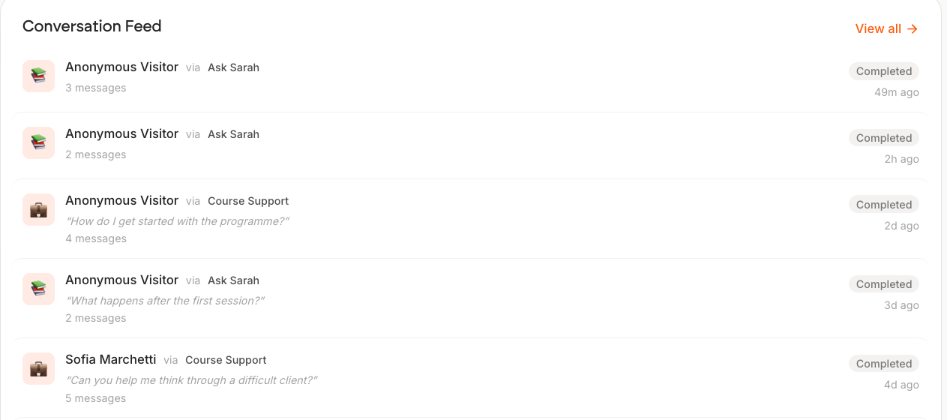
This is the most useful thing on the page. Each row shows the opening message, which clone answered, and the message count.
Scan the message counts. A row saying "2 messages" means someone asked once and left. A row saying "8 messages" means your clone held a real conversation. The difference between those two is what you are trying to improve.
Your clones
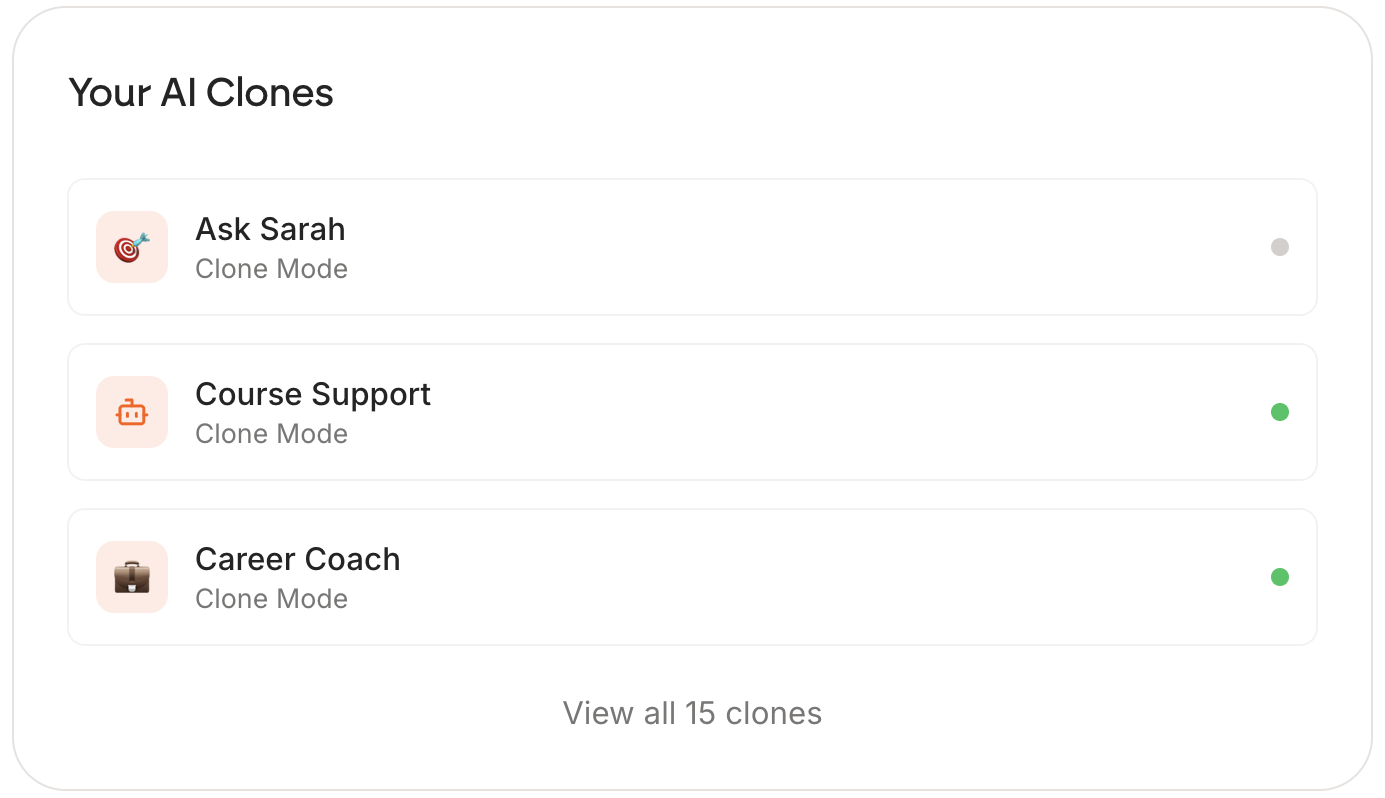
Your active clones, with a green dot each. On the free plan only one can be green at a time.
Latest questions
Further down, the most recent things visitors asked. Worth reading weekly: it tells you what to add to your knowledge next, and often what to put on your own website.
The number that actually matters
Not the totals. Repeat conversations. One person coming back three times says your clone was useful. Thirty people asking one question each and never returning usually means the first answer disappointed them.
Early on, all three counters will be small and that is fine. Five conversations you have read carefully teach you more than five hundred you have only counted.