
Add your clone to Kajabi, Teachable or Podia
Three platforms, three slightly different embeds.
None of these three connect to your account. Each gives you something to paste into the course itself. Go to Integrations in the sidebar, find your platform and click Setup. Pick which clone should answer, then copy what it gives you.
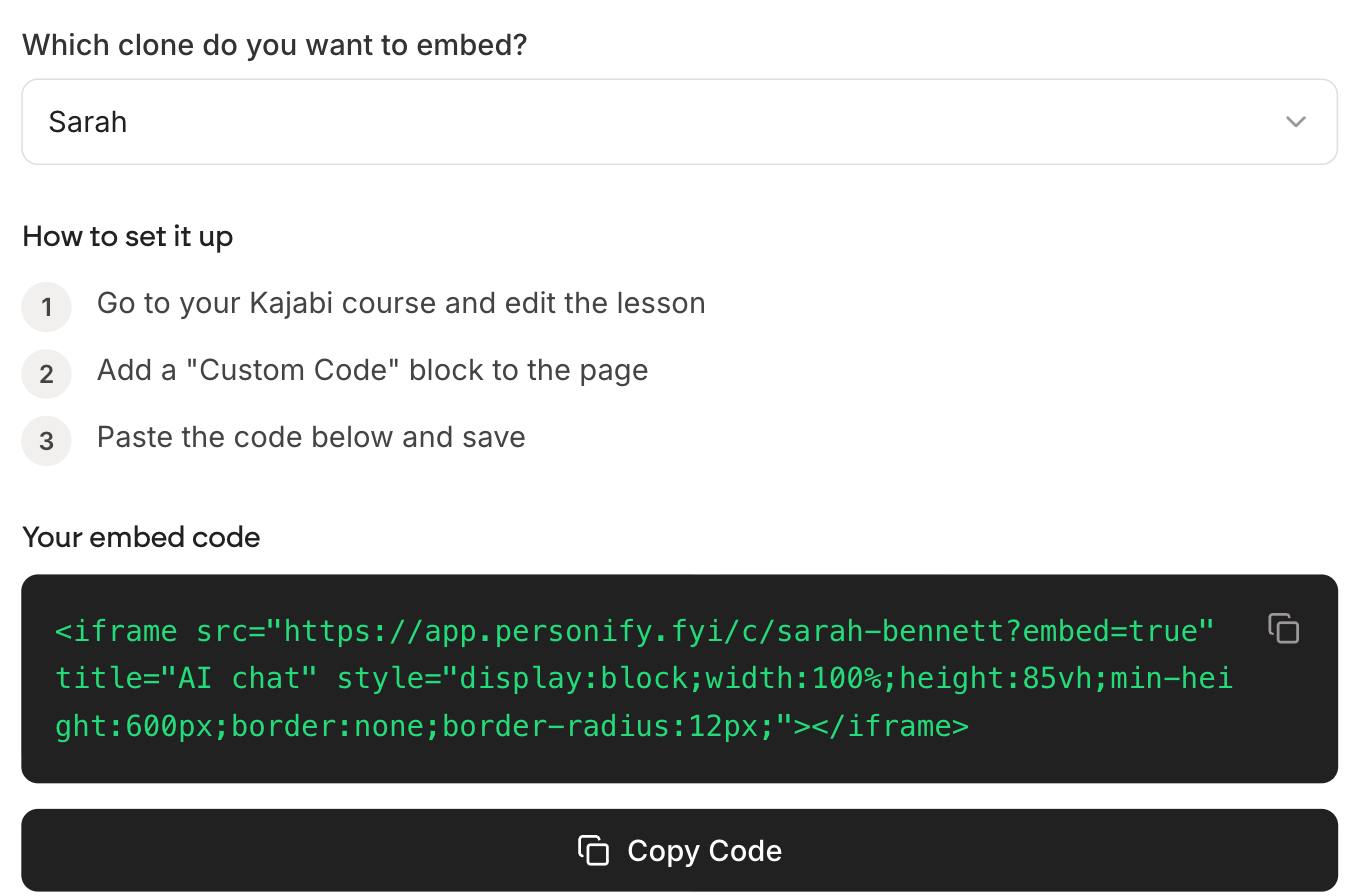
Kajabi
- Go to your Kajabi course and edit the lesson
- Add a Custom Code block to the page
- Paste the embed code and save
Teachable
- Go to your Teachable course and edit the lecture
- Add a Custom Code block in the lecture editor
- Paste the embed code and save
Podia
Podia takes a link rather than code.
- Go to your Podia course editor
- Click New lesson and select Add embed
- Paste the link into the Link field and save
It goes on the lesson, not the whole site
All three put the chat on the page you paste it into. To have it on every lesson, add it to each one, or put it on a single page and link to that page from your lessons.
Check as a student
Always look in a student account or a private window. Admin and preview views often skip embedded content, so a working embed can look broken to you and fine to everyone else.